HOME PAGE
The home page is the starting point of the website.
On it, you can select each year level, and you can search for any student
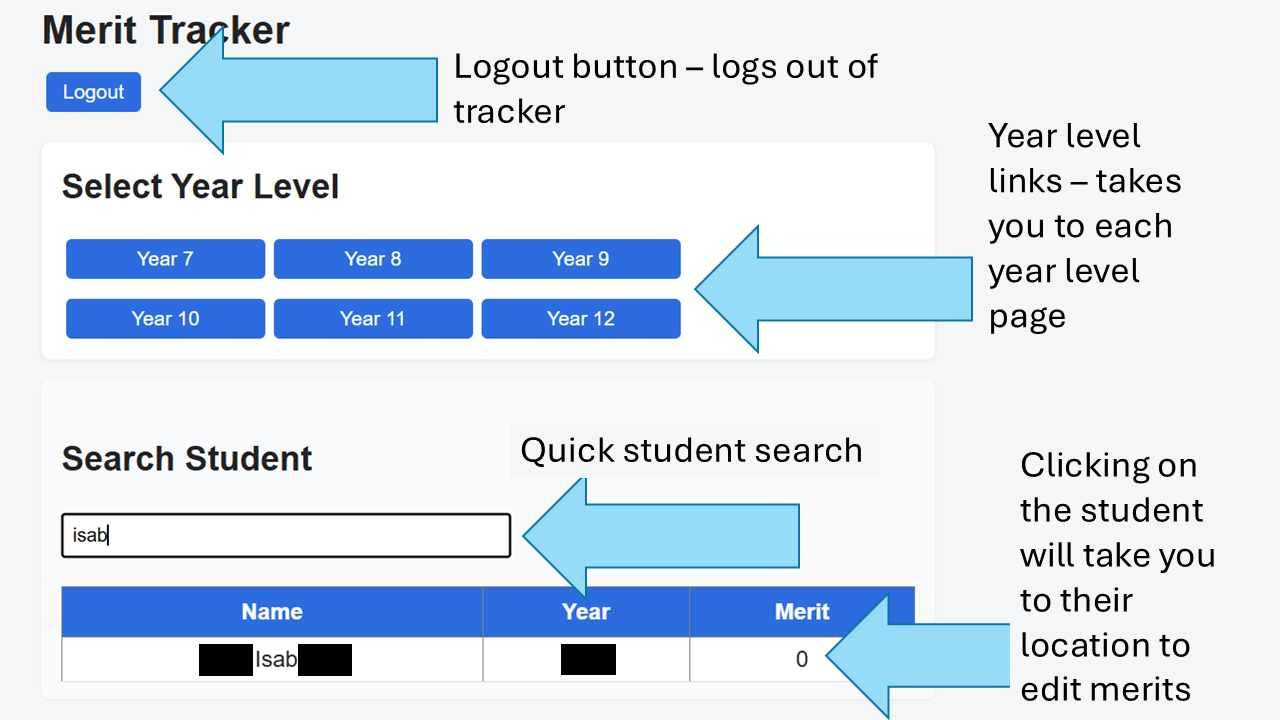
Try it out! Search a student, click their name and watch the magic
The home page is the starting point of the website.
On it, you can select each year level, and you can search for any student
Try it out! Search a student, click their name and watch the magic
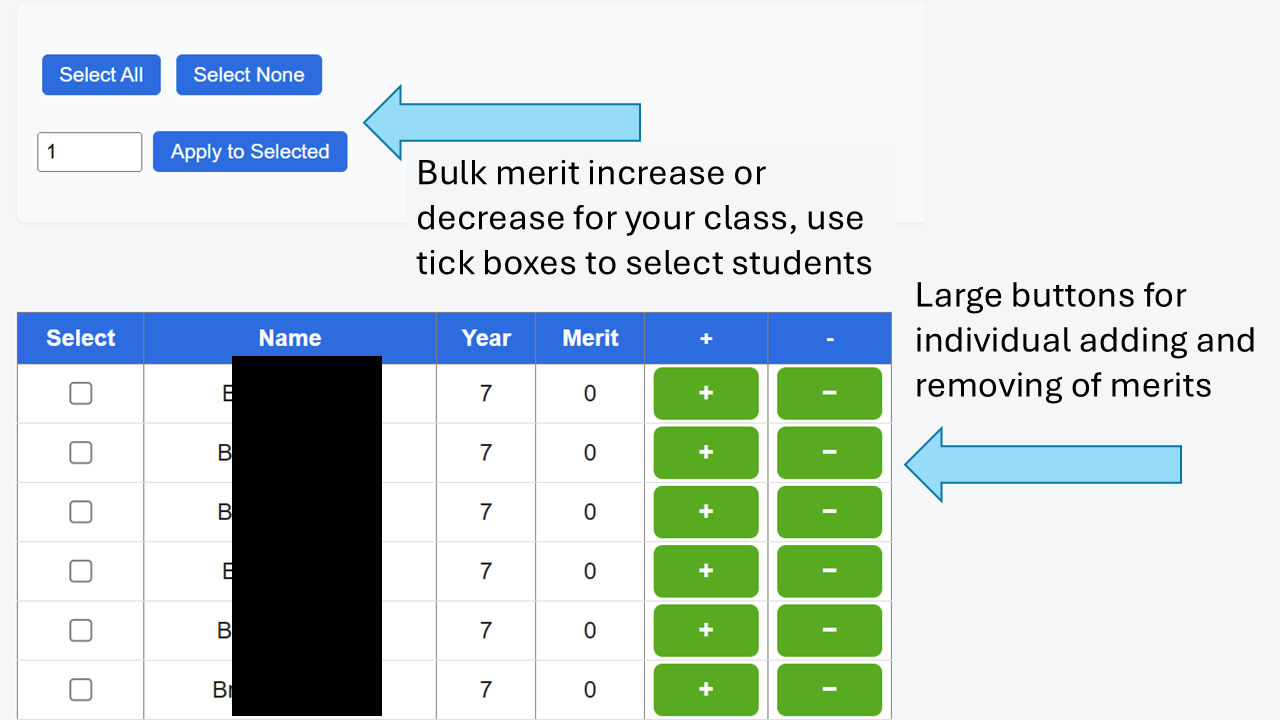
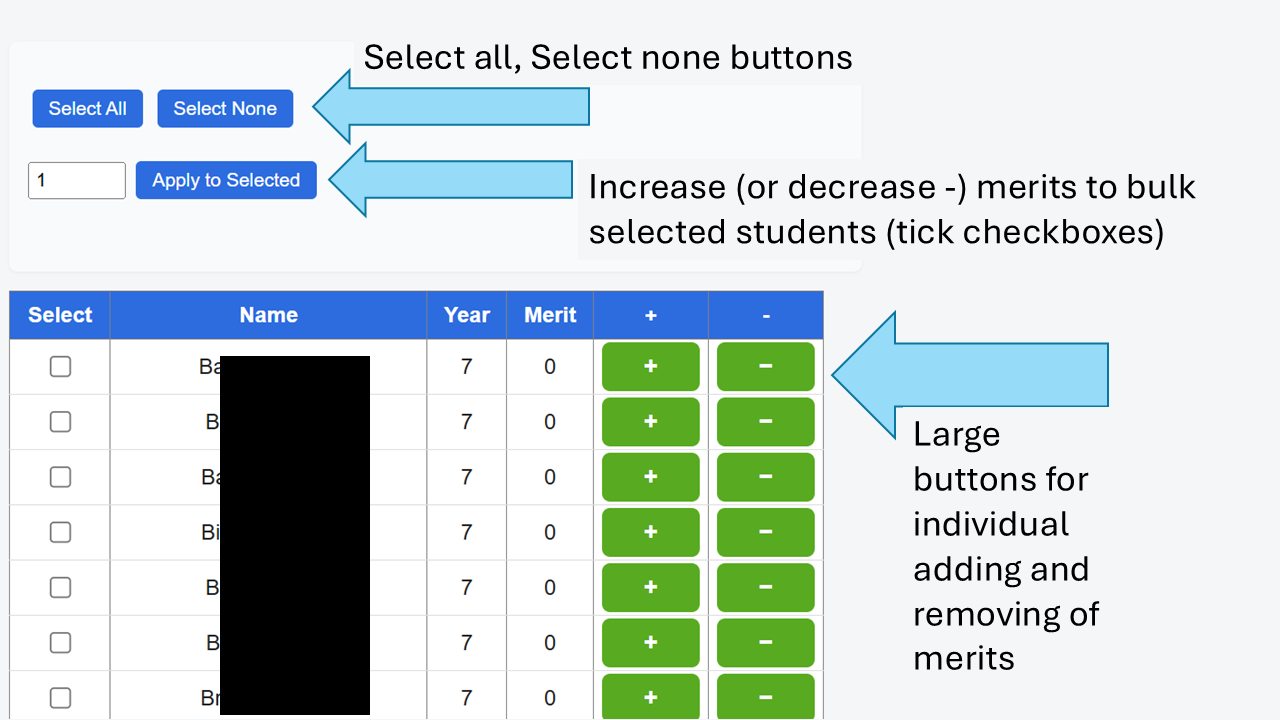
The year level pages allows you to interact with each student's merits in that year level.
Here, you get a complete list of students, allowing you to add or remove merit points
individually AND IN BULK!
Select the students you'd like to give points to (or remove points from),
select the number of points, negative numbers to remove points, and click "Apply to selected"
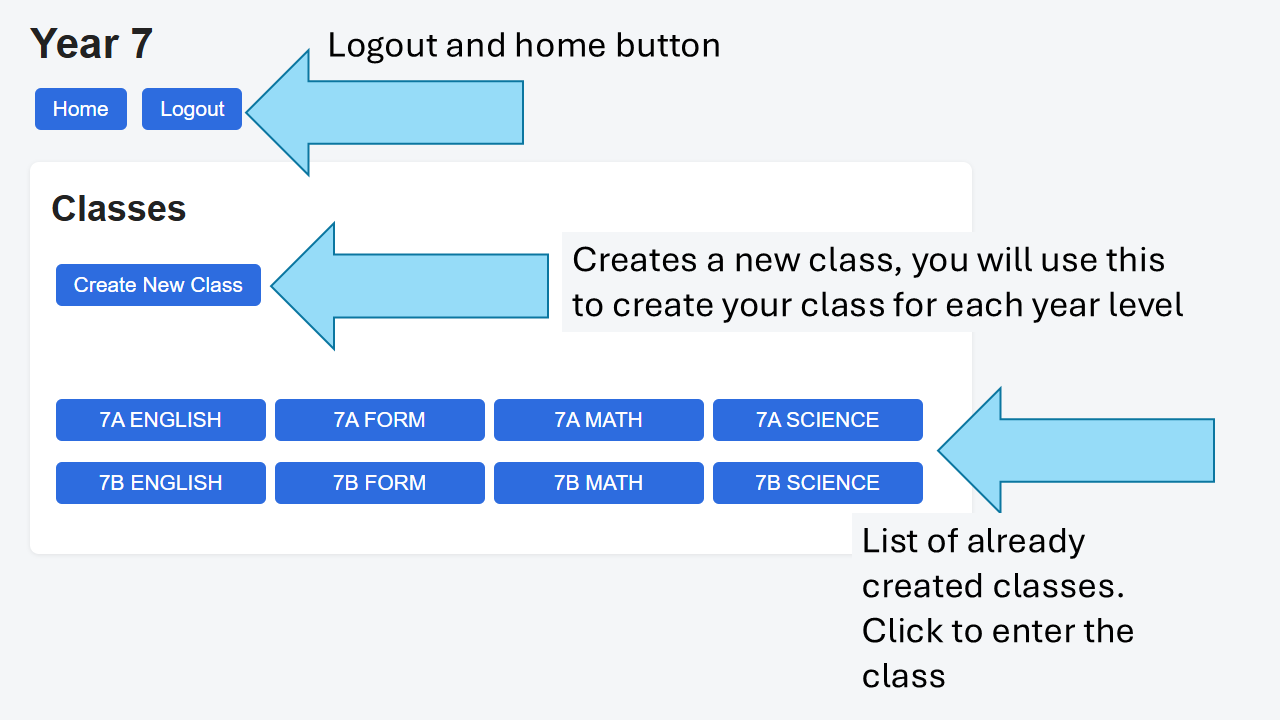
However, you won't be using this much, you don't teach all students at the same time, so you will be creating your classes. Don't worry, it's crazy simple!
Any created classes will appear here, easy to access. Clicking "Create New Class" will first ask you the name of the class, then will take you into the page for that class
In the class page, the first thing you will do is click "manage class"
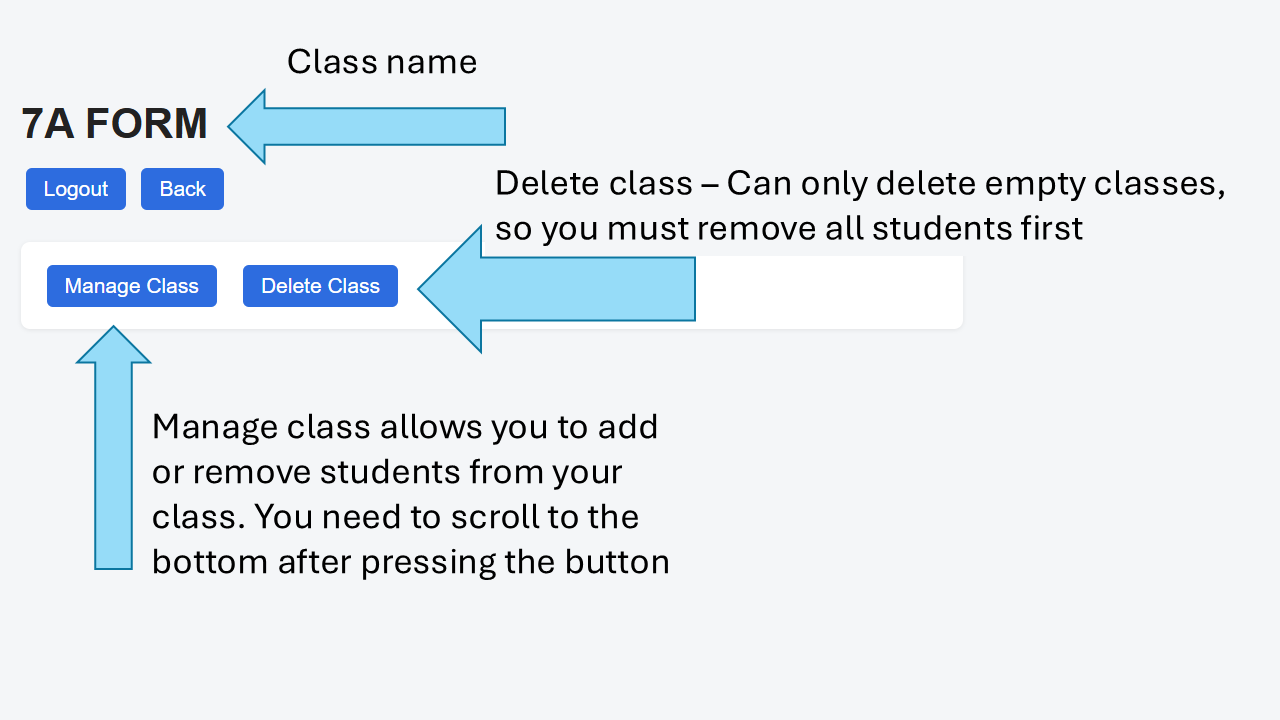
scroll down to the bottom and you will see all students in that year level appear. I recommend having IDattend open to assist in this. Simply tick the students in your class and click "Save changes"
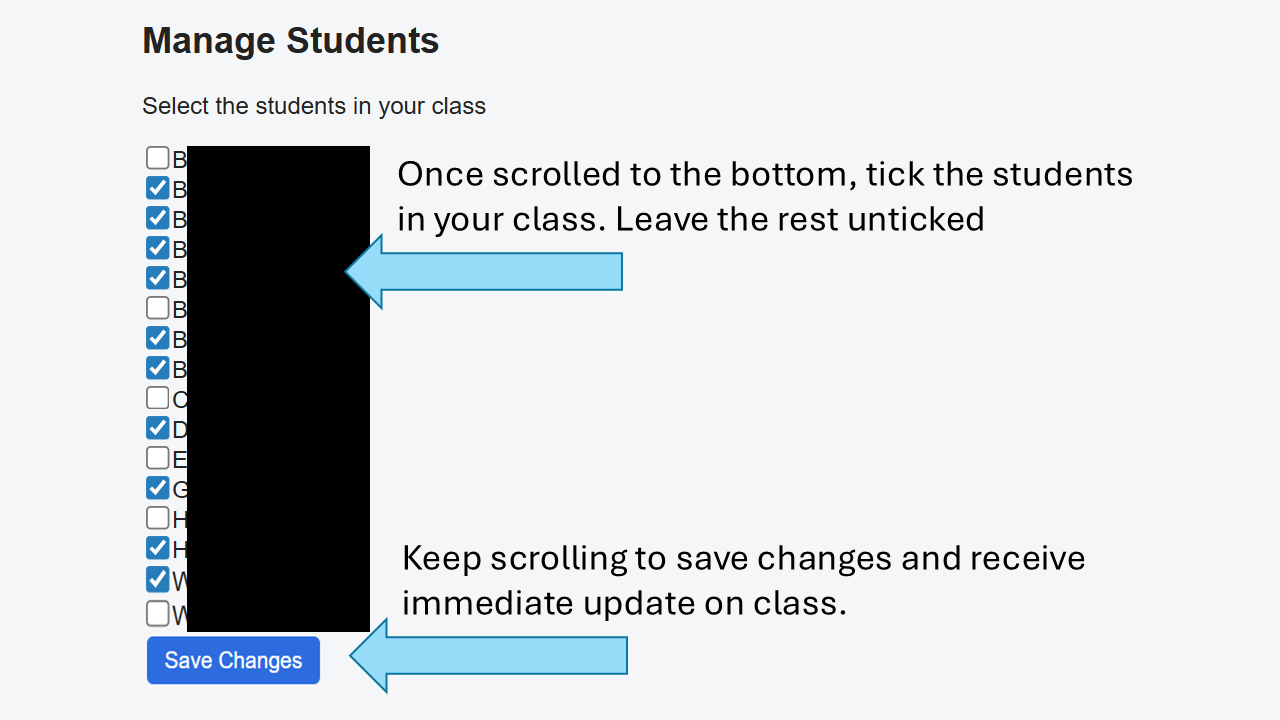
If you need to add or remove students, click "manage class", tick or untick student names, "save changes" and it updates automatically. You aren't deleting students from the system, just your class
If you accidently made a class, or spelt the name wrong, you can delete EMPTY classes
Once your class is set, controls are exactly the same as the entire year level page, only this time you only have your specific students.